
Prepaid SIM card for Curacao: Where to Buy in 2026?
Do you want to use a Curacao SIM card and want to know more about where to get one? Here’s all the information you need about it!


Mexico is undoubtedly one of the most striking countries to visit. If you are about to travel to this beautiful country, but you do not know how to buy an eSIM in our store, this is the right place to always stay connected. In this guide, we will show you the step-by-step process of buying the best eSIM for Mexico, so you can quickly make your purchase and connect to the internet in a couple of minutes.
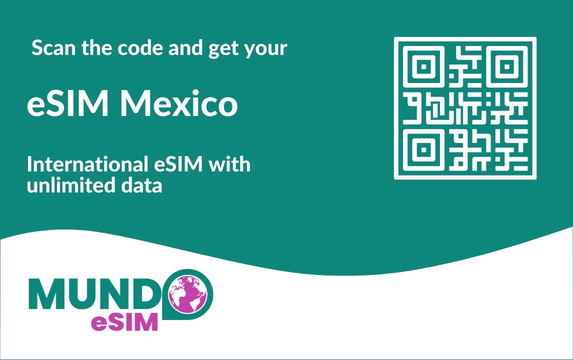
To buy the eSIM for Mexico, the first thing you should do is enter our virtual store: mundoesim.com/en/.
As soon as you go to our website, we can start with the step-by-step process of buying the eSIM for Mexico.
When you enter mundoesim.com/en/, you will see our home page, where we display information about Mundo eSIM and our products.
Also, in the upper right corner you will find a menu with different options, but this time we will focus on the drop-down menu with the name Destinations. Click there.
As soon as you do it, a list will open with all the destinations that we have available for you to buy an eSIM.
When the list opens, on the left side you will see a category in red called Top destinations, click on Mexico.
You will then be redirected to the eSIM Mexico page.
In addition to searching for the eSIM Mexico, you can also go directly to the product by clicking on the magnifying glass icon in the upper right and typing Mexico directly in the search engine on the left.
By typing Mexico, the eSIM will pop up automatically, so you just must click on it, and you will be redirected to the product page.
When you enter the eSIM Mexico page, you will find all the relevant information about the eSIM, along with the compatible cell phones and the different plans available.
You will know that the data plan is selected correctly because the box will turn blue.
In case you travel with your family and need to buy more than one eSIM, on the left side of the green purchase button you will find the option of how many eSIMs you need. To add more to the purchase, you just must click on the plus symbol.
If you only need one eSIM, you do not have to do anything.
Once you have selected the plan and the number of eSIM you need, you must click on the green button Add to cart to continue with the purchase.
When you click on Add to cart, a pop-up window will appear where you will be shown the shopping cart with all the information about the eSIM and the total price to pay.
Once you are sure that all the information is correct, click on Checkout.
Once you click on Checkout you will be redirected to the Payment page. There you will find the complete information about your purchase, and you can make a one-time payment through PayPal or GPay.
If you do not have PayPal or GPay, you can make the payment by credit card. To do so, you must fill out the form that you will find on the left side of the page when you scroll down a bit.
When you finish filling out the form with your data, you must click on the green button Continue to payment that appears at the bottom right.
After clicking the Continue to payment button, you will be directed to the payment gateway, where you will be asked for your credit card information.
When you have verified that all the data is correct, click on the button Pay now.
After completing the purchase process, a QR code should arrive in your email with the eSIM Mexico and the step-by-step guide to activate it.
Immediately after making your purchase, you should receive an email with the following:
In case you do not understand very well the activation guide that arrives in your email with the eSIM, here is a brief step-by-step guide:
Do you want to use a Curacao SIM card and want to know more about where to get one? Here’s all the information you need about it!

If you will soon be traveling to Brazil, you are probably wondering how to get mobile internet in this country, and we’ll talk about it.

Get internet during your trip to China with a SIM card for China with VPN. Learn how to buy and use it and all its benefits.
